Preload Images via HTTP Link response header
friends-of-hyva/magento2-preload-images
This extension improves the user experience by loading images that are guaranteed to be displayed above the fold earlier.
Quality Score
Recent Test History
Each release is tested against the latest Magento version at that time.
+4 older tests
Share This Module's Status
README
Loaded from GitHubPreload Images via HTTP Link response header
This module was built as an experiment during the MageUnConf Hackathon in Cologne, in September 2022.
The goal is to improve the user experience by loading images that are guaranteed to be displayed above the fold earlier.
The idea came out of interesting discussions with Tsvetan Stoychev and his experience working at Akamai on the frontend performance team.
Installation
Run the command
composer require friends-of-hyva/magento2-preload-images
Usage:
Import the FriendsOfHyva\PreloadImages\ViewModel\PreloadImages view model into your template and call the add() method, passing the image URL string as a parameter.
In Hyvä the ViewModelRegistry can be used, with Luma based themes the view model has to be passed into the template as a block argument using Layout XML.
Hyvä Example:
/** @var string $imageUrl */
$viewModels->require(PreloadImages::class)->add($imageUrl);
Details
The preloading is triggered in the browser by a Link header.
Take this screenshot of a PDP waterfall chart on slow 3G without preloading:
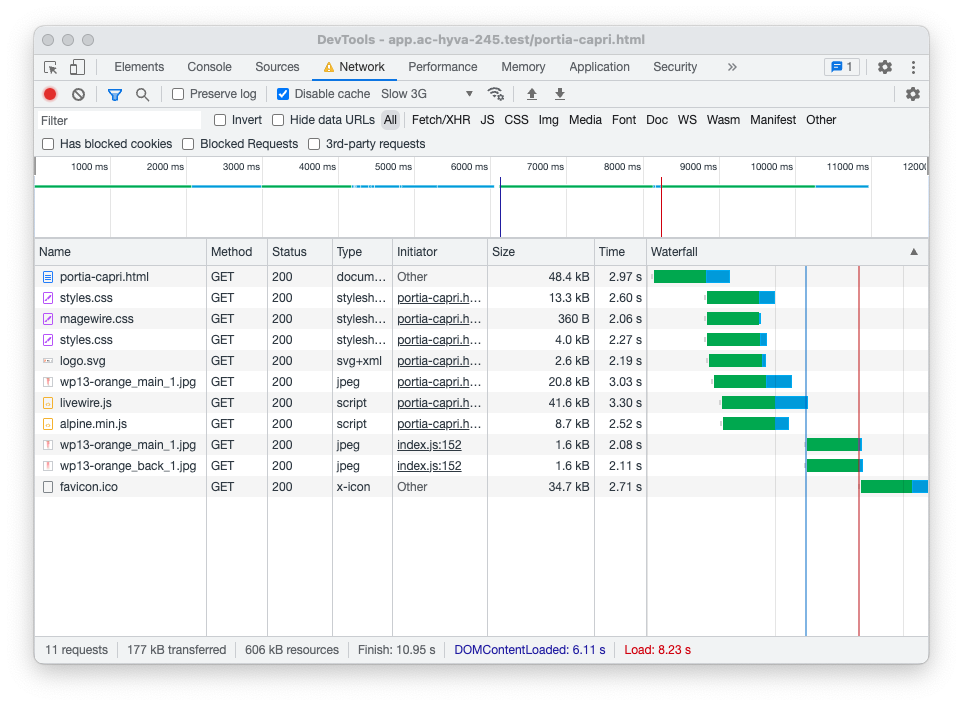
You can see the main product image wp13-orange_main_1.jpg begins loading shortly after the portia-capri.html document is received.
The browser requests the main product image after the css files used by the page.
Here is the screenshot of the same page with preloading:
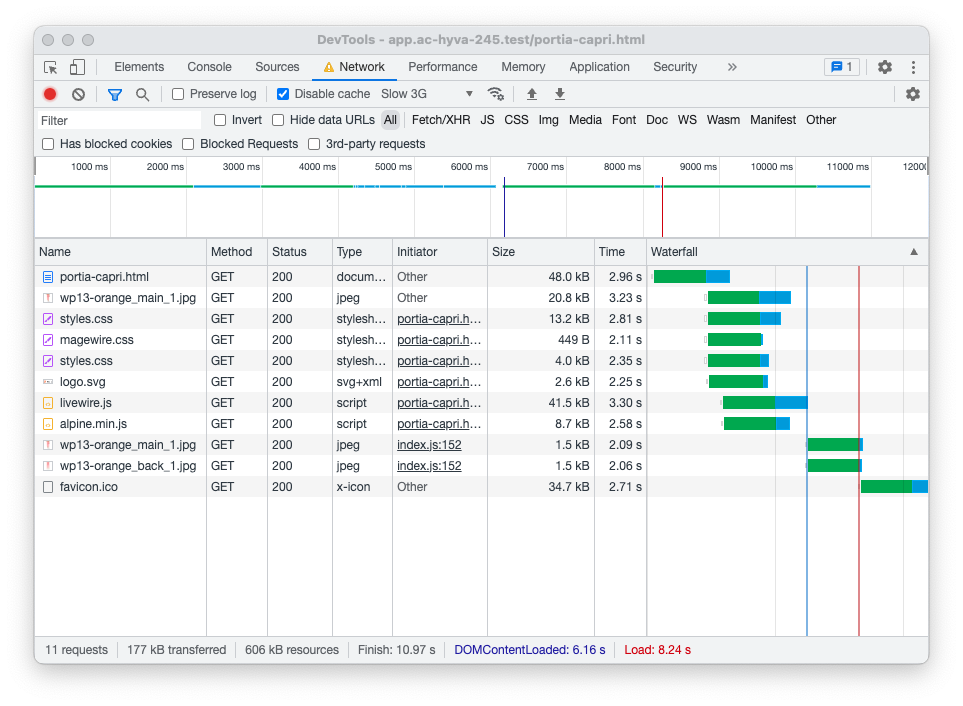
With preloading, the browser requests the main product image before even the css files.
Be aware!
The feature this module provides is well in the range of micro-optimization, and if used without care can harm a websites SEO metrics.
If preloading an image improves the customer experience or a search engine ranking metric really depends on the site in question and the customer usage base.
Also, it will require a relatively high amount of visitors and careful monitoring to determine if it improves the situation for the majority of visitors.
License
Copyright 2022 Vinai Kopp & Hyvä Themes BV
The module is released under the BSD-3 Clause license.
This content is fetched directly from the module's GitHub repository. We are not the authors of this content and take no responsibility for its accuracy, completeness, or any consequences arising from its use.