Customer and Address Form Fields Manager for Magento2
magepal/magento2-form-field-manager
This extension allows us to quickly and easily remove unwanted form fields from admin order creation and customer account.
Quality Score
Recent Test History
Each release is tested against the latest Magento version at that time.
+5 older tests
This module needs community help
Composer installation fails. Your contribution could help the entire Magento community!
Share This Module's Status
README
Loaded from GitHubCustomer and Address Form Fields Manager for Magento2
Quickly and easily remove unwanted form fields from admin order creation and customer account, added by default magento or other third party extensions
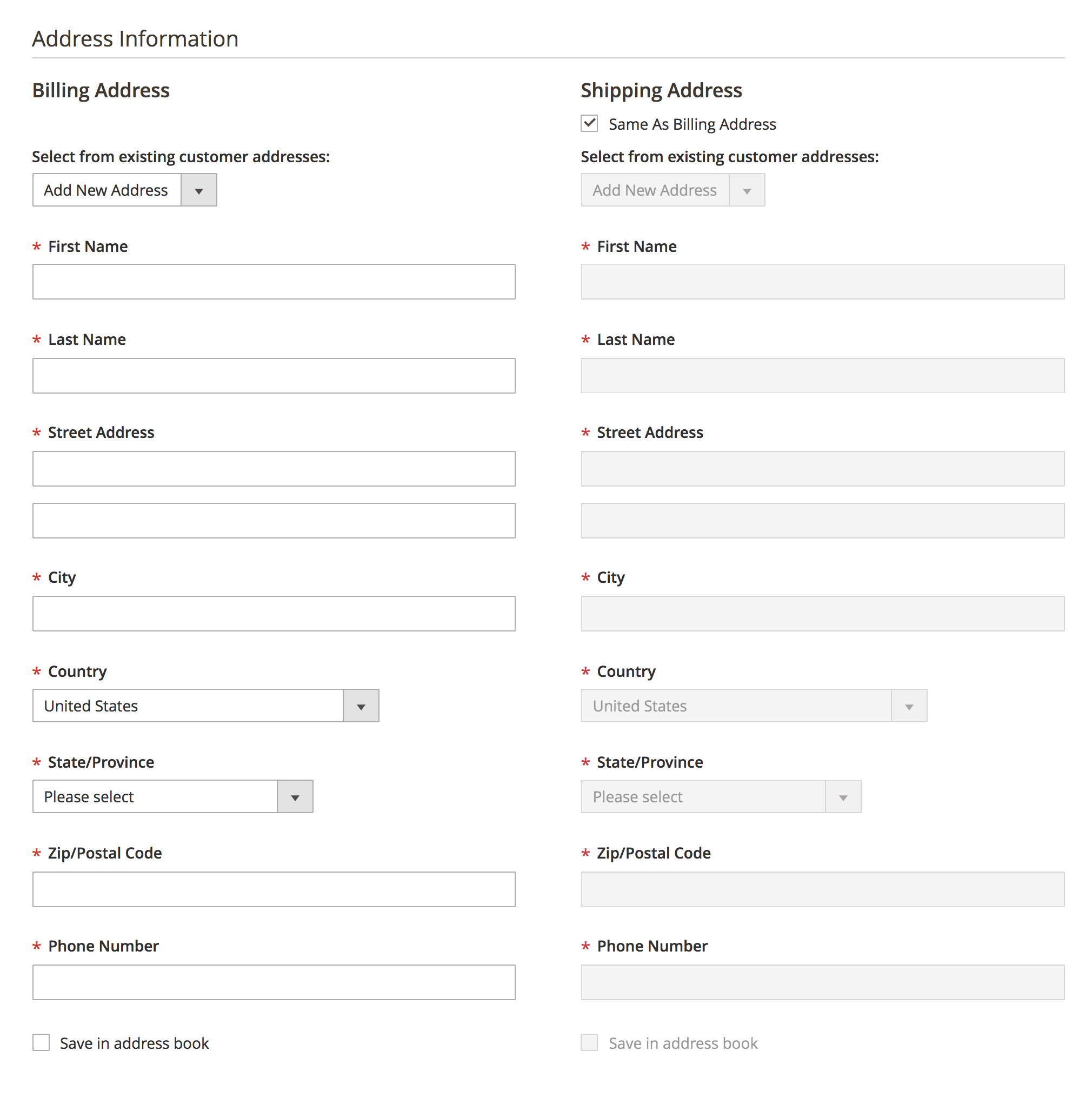
After (Admin order creation)
Features
-
Remove unneeded form fields from:
- Admin order creation
- Customer admin
-
No code or template modification
-
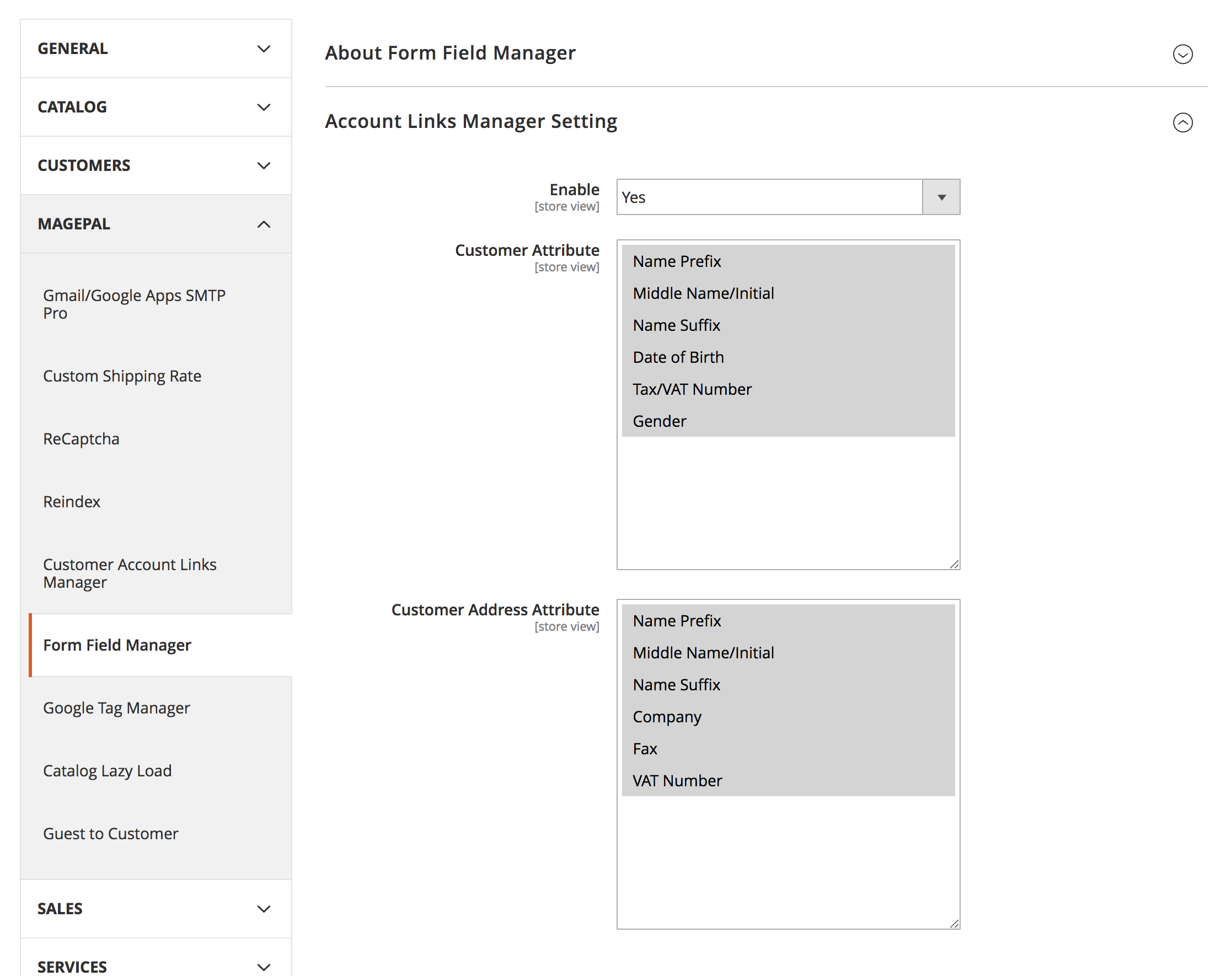
Switch on/off form fields via Magento backend.
Customer Attributes
- Name Prefix
- Middle Name/Initial
- Name Suffix
- Date of Birth
- Tax/VAT Number
- Gender
Address Attributes
- Name Prefix
- Middle Name/Initial
- Name Suffix
- Company
- Fax
- VAT Number
Installation
Step 1 - Installation Customer Account Links Manager
Using Composer (recommended)
composer require magepal/magento2-form-field-manager
Manually
- Download the extension
- Unzip the file
- Create a folder {Magento 2 root}/app/code/MagePal/FormFieldManager
- Copy the content from the unzip folder
Step 2 - Enable Customer Account Links Manager (from {Magento root} folder)
- php -f bin/magento module:enable --clear-static-content MagePal_FormFieldManager
- php -f bin/magento setup:upgrade
Step 3 - Configure Customer Account Links Manager
Log into your Magento 2 Admin, then goto Stores -> Configuration -> MagePal -> Form Field Manager
Contribution
Want to contribute to this extension? The quickest way is to open a pull request on GitHub.
Support
If you encounter any problems or bugs, please open an issue on GitHub.
Need help setting up or want to customize this extension to meet your business needs? Please email support@magepal.com and if we like your idea we will add this feature for free or at a discounted rate.
Magento 2 Extensions
- Custom SMTP
- Catalog Hover Image for Magento
- Enhanced Success Page for Magento 2
- Enhanced Transactional Emails for Magento 2
- Google Tag Manager
- Enhanced E-commerce
- Reindex
- Custom Shipping Method
- Preview Order Confirmation
- Guest to Customer
- Admin Form Fields Manager
- Customer Dashboard Links Manager
- Lazy Loader
- Order Confirmation Page Miscellaneous Scripts
- HTML Minifier for Magento2
© MagePal LLC. | www.magepal.com
This content is fetched directly from the module's GitHub repository. We are not the authors of this content and take no responsibility for its accuracy, completeness, or any consequences arising from its use.